
How do you know how old a webpage really is? A core part of website investigation is determining precisely when site was created or when an article was published. For most sites this is rarely an issue of concern, but for websites that are intentionally misleading it can be more challenging. Websites created for fraud, phishing, disinformation or other deceptive purposes frequently misrepresent the age of the site in order to appear more established and authoritative than they really are. It’s also helpful to be able to find out exactly when an article was published and detect subsequent modifications.
There are several ways to do this. Article publication dates might be obvious, but it is also trivial to edit publication timestamps and they cannot be relied upon. The Internet Archive can also be a useful indicator, but it has gaps in coverage and is slow to query. In any case a first crawl of a website will by definition always lag the actual creation of the site so it’s better to go upstream to find more reliable signals.
To make this process quicker and easier I’ve put together URL Dater from a collection of old Python scripts that I’ve used for a few years but with a web interface to make the tooling and results a little easier to work with.
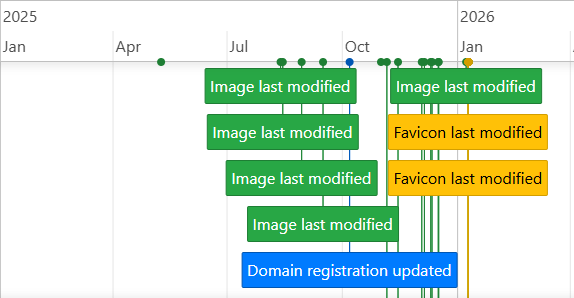
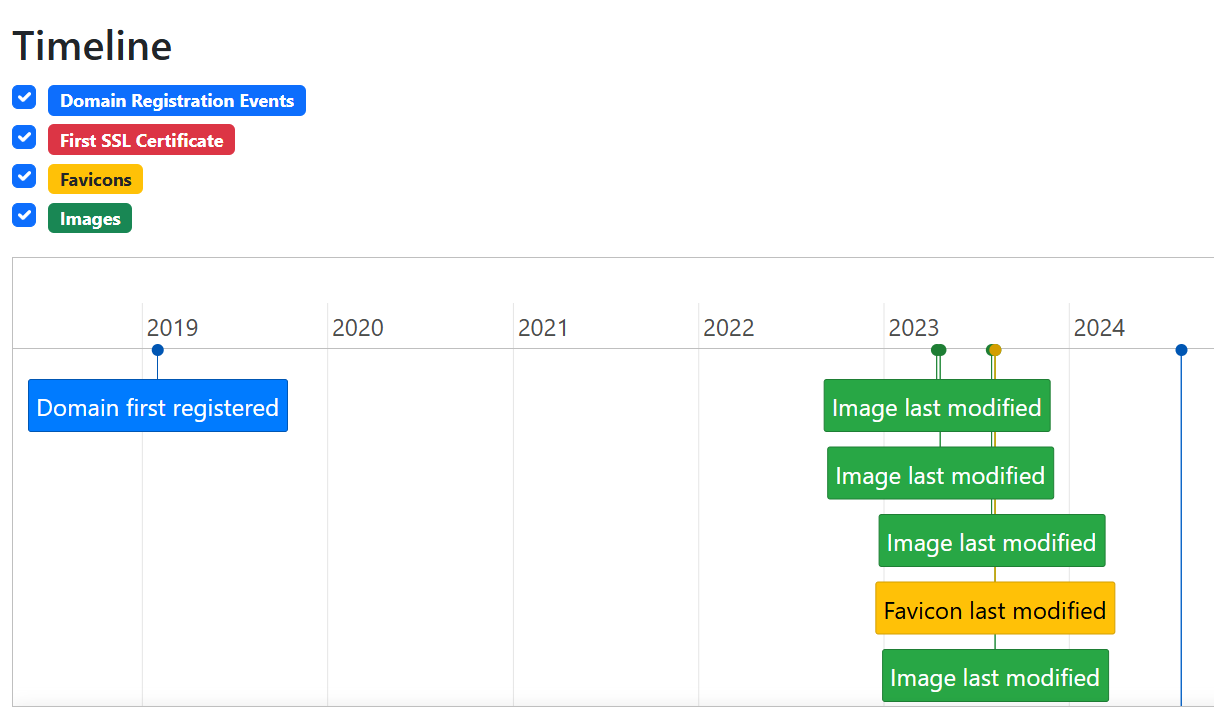
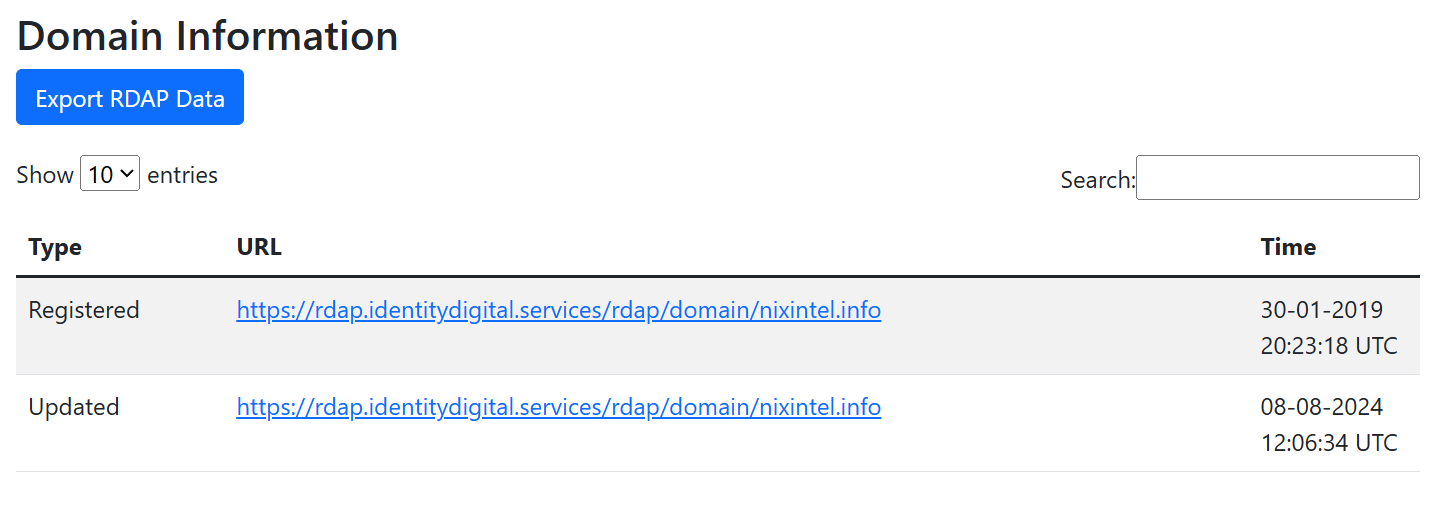
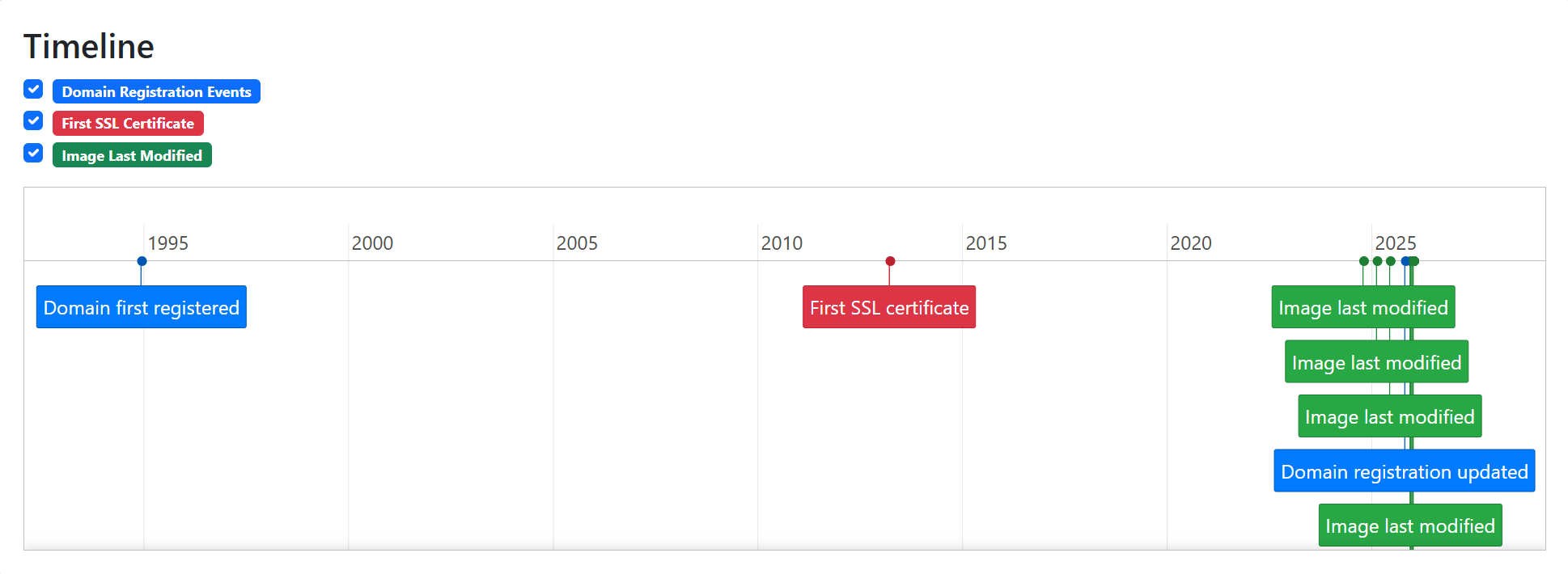
URL Dater collects three sources of information to validate the age of a web page. First it uses RDAP (the replacement for WHOIS) to find out when the original domain was first registered and also when the registration was last updated. Secondly it uses certificate transparency logs to determine when the very first SSL certificate for that website was issued. Finally it connects to the target URL and reads the Last-Modified header timestamp from any images that are embedded on the page. These data points are combined together to produce a timeline showing when the site and its content were created or modified.
RDAP
RDAP (Registration Data Access Protocol) is a new standard for querying domain registration records. It replaces WHOIS, which was deprecated in January 2025. It’s far easier to work with programmatically because the data is returned in a standard JSON format that can be easily parsed. The only limitation with this method is that a few TLDs still don’t currently support RDAP queries, and some that do choose not to share registration date information (why DENIC, why?).
If URL Dater doesn’t return RDAP registration information for the website domain then you can view WHOIS records via Big Domain Data or Whoxy as an alternative.
First SSL Certificate
Since almost all websites now support HTTPS it’s safe to assume that pretty much any website you want to research will have an SSL certificate. Any website without an SSL certificate is likely to be deranked in search results and users will also receive warnings in their browser that the site is insecure. It is extremely rare to find a modern website that doesn’t have an SSL certificate – even if it was created for malicious or deceptive purposes. This is helpful for researchers because since 2013 SSL certificate providers have made every certificate they issue publicly auditable via certificate transparency logs. URL Dater checks these logs via crt.sh to find the “Valid From” timestamp for the first security certificate issued for a domain.
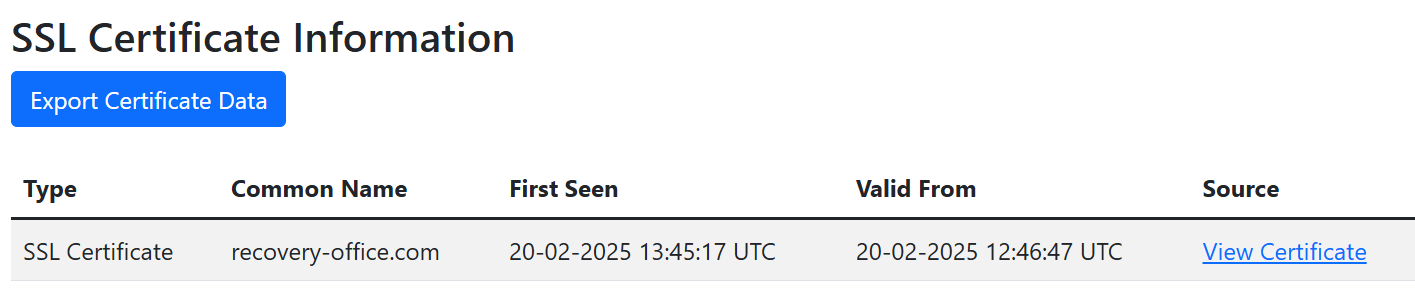
This provides a high confidence, third-party verified timestamp for when a website likely first went live. Just be aware that SSL certificates have a “Valid From” field and not an “Issued At” field, so the while the first certificate time is reliable and precise, it isn’t accurate to the exact minute. You can read more about this in the FAQ.
Last Modified Headers
The final indicator collected by URL Dater are the Last-Modified timestamps from images embedded on a webpage. This indicates the time when an image was last modified on the web server and is a reliable indicator for when the content was added to the webpage. Note this is separate from any timestamp metadata embedded in the image itself. The Last-Modified header timestamp value is derived from the web server itself and is significantly more difficult to alter or modify.
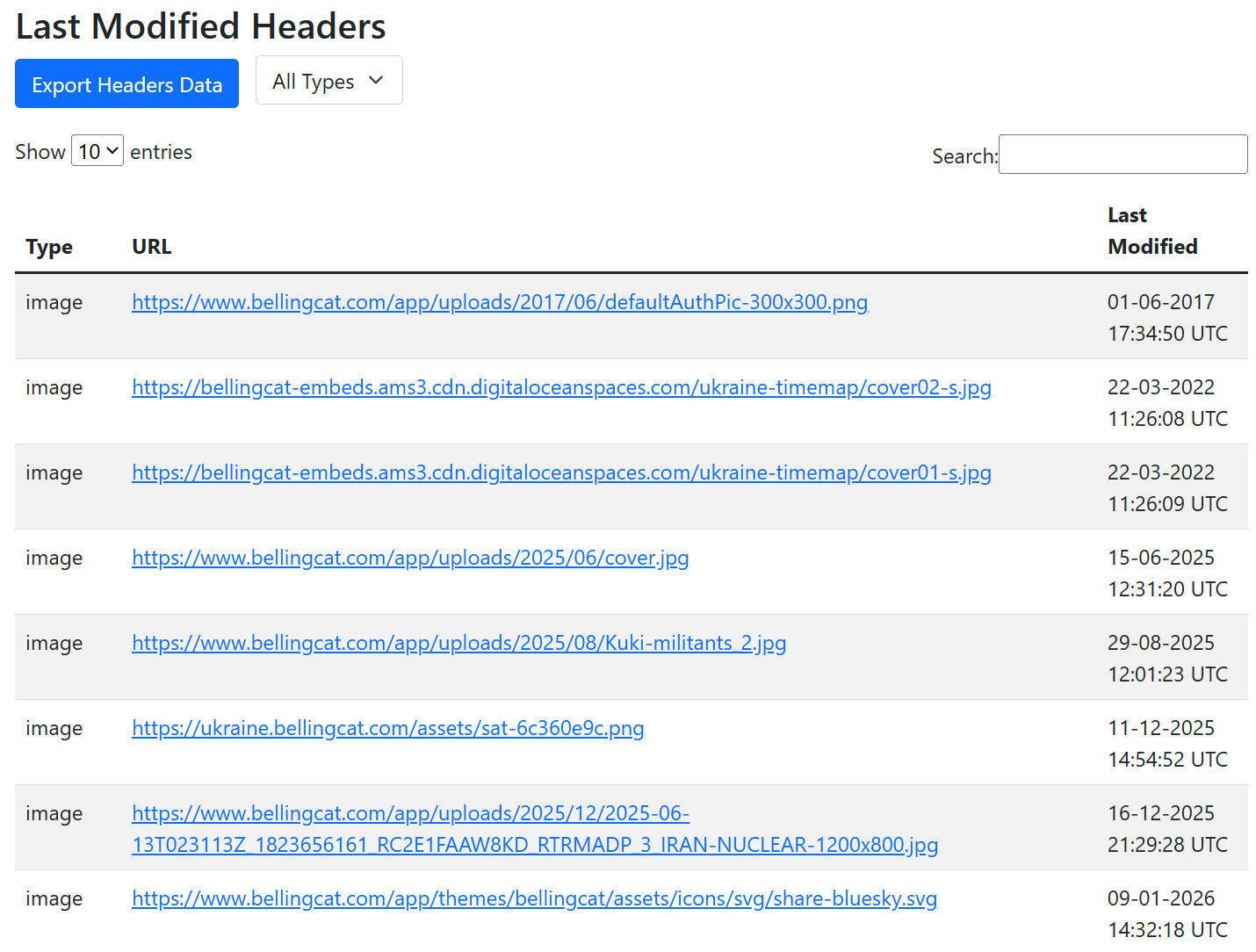
The results distinguish between favicons and other images when presenting the findings. The main reason for doing this was that in practice site owners modify favicons far less regularly compared to other images on webpages so I found it helpful to make the distinction when trying to date the content accurately.
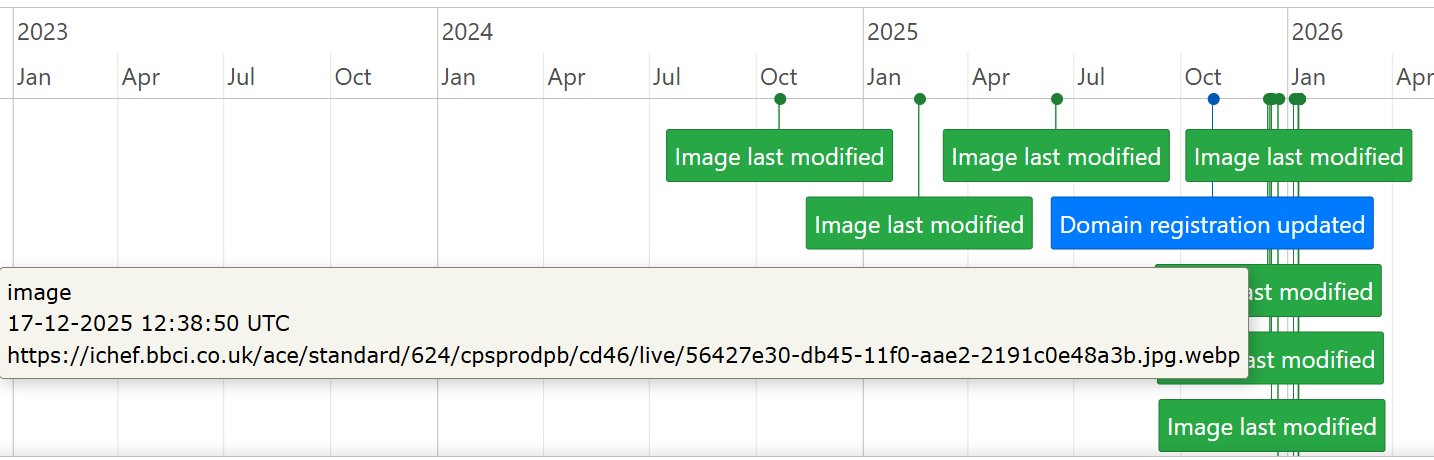
Plotting the Last-Modified header timestamps
I love Python and have used it my investigations for years but I never really took to learning front end web development. I’ve really benefited from the use of tools like Cursor to convert my Python scripts into Flask apps with a JS frontend. It also allowed me to add in some useful extra features like the ability to create timelines to visualise results. Results can also be exported in PDF, PNG or CSV format.
Installation and Known Issues
The code is in the URL Dater GitHub repository. It’s a single container Docker app so as long as you have Docker installed on your host system you just need to clone the repo and build the container.
git clone https://github.com/nixintel/urldater

cd urldater

docker compose up --build
The main issues you’re likely to encounter are limitations of the underlying tools. For example, some TLDs don’t yet support RDAP, crt.sh (used for SSL history) is often offline, and some websites simply don’t use Last-Modified headers. For further details about the data is collected and what its limitations are, please read the FAQ.
The demo server at Urldater.app is also running on a very lightweight server that occasionally struggles to process data from larger websites, which may result in performance issues. I strongly recommend self-hosting this on your own hardware for better performance.